

ProErgoBuddy Resources

Hi, I’m your ProErgoBuddy.
In this Resources Hub you will find everything you need for your computer workstation self-assessment, including guides and tips to encourage you to move throughout your day.
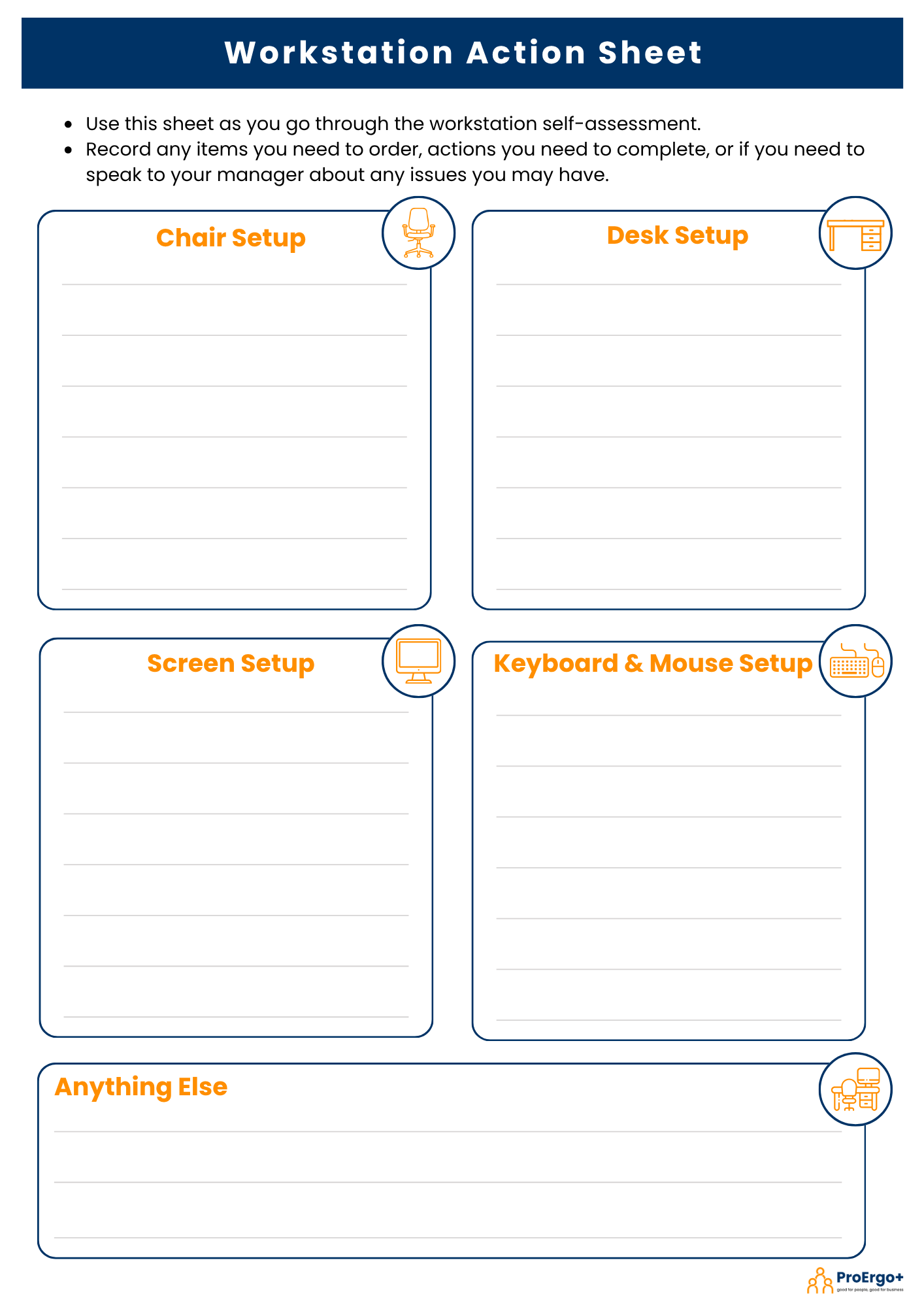
Workstation Action Sheet
Step 1: Download this sheet and use it as you go through the workstation self-assessment to record:
any items you need to order,
actions you need to complete, or
if you need to speak to your manager about any issues you have with how your workstation is set up.
Click on the image opposite to download.

Thanks for completing the ProErgoBuddy computer workstation self-assessment and training guide!
We hope you found it, and these resources, useful.
Please get in touch with ProErgo+ if you have any other questions or would like to leave us feedback on how you found the training.
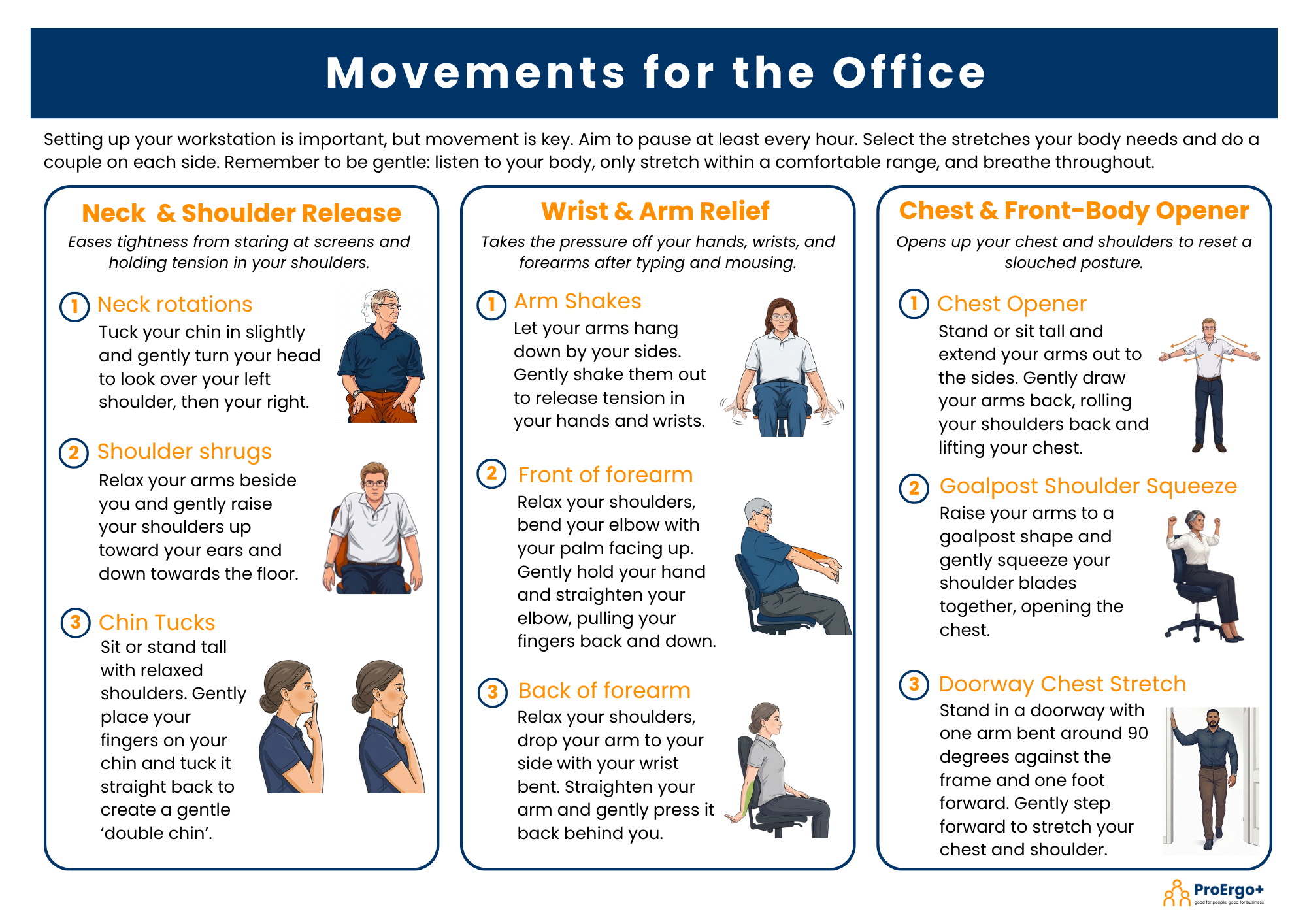
Movements for the Office
Setting up your workstation is important, but movement is key. You should aim to pause and move at least once every hour.
Click on the document opposite to download a range of stretches and movements that you might find useful. They are grouped into zones to support different parts of the body:
Neck & Shoulder Release
Wrist & Arm Relief
Chest & Front-Body Opener
Back Reset & Spine Mobility
Hip & Leg Refresh
Remember we are not designed to sit all day!
The next posture is the best posture.
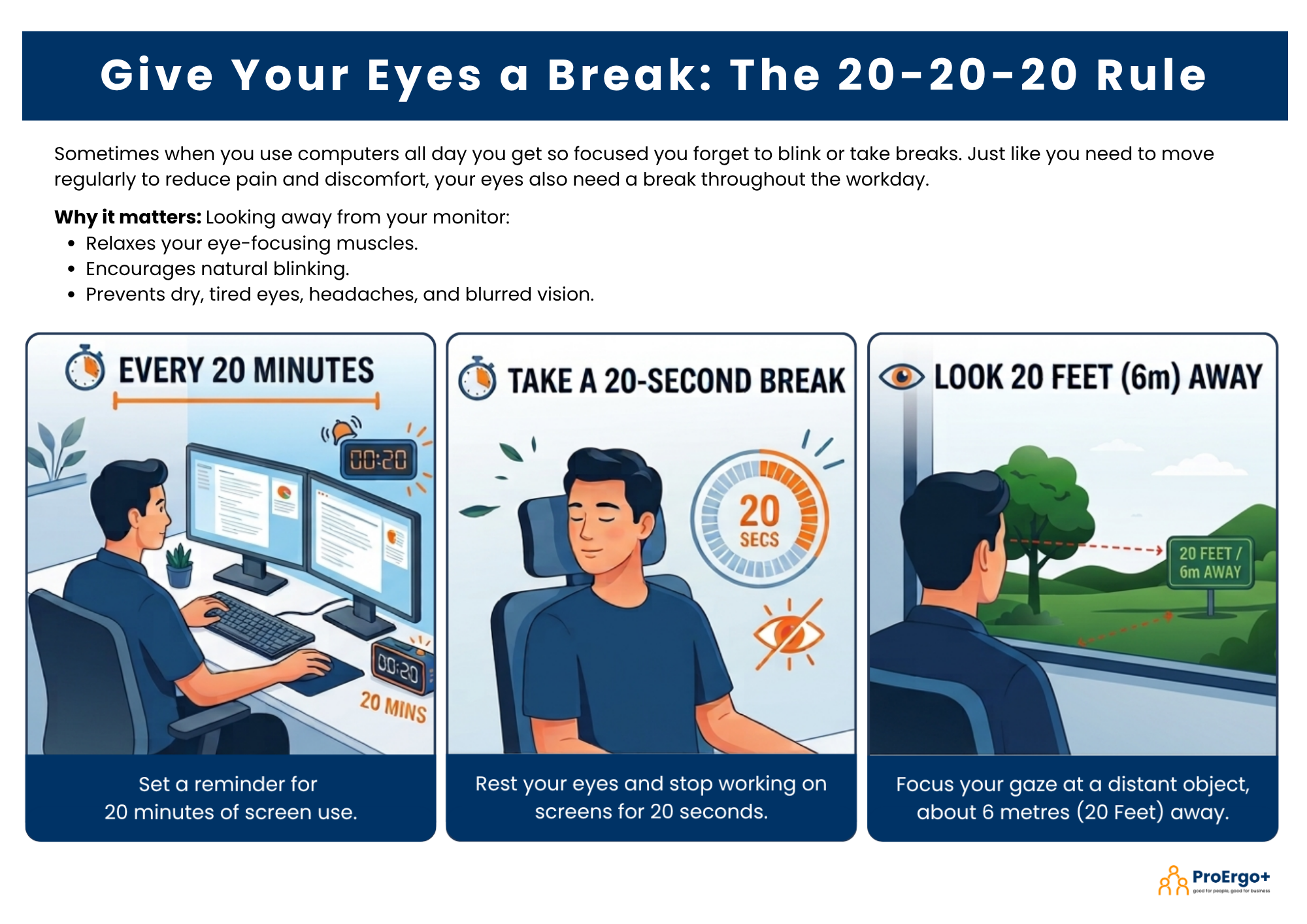
Reminder: Give Your Eyes a Break
Sometimes when you use computers all day, you get so focused you forget to blink or take breaks. Just like you need to move regularly, your eyes also need a break from staring at a computer screen.
Click on the image opposite to download the poster. You can print it out to act as a reminder to take regular vision breaks using the 20-20-20 Rule:
Every 20 minutes
Take a 20 second break to rest your eyes
Look around 20 feet or 6 metres away.
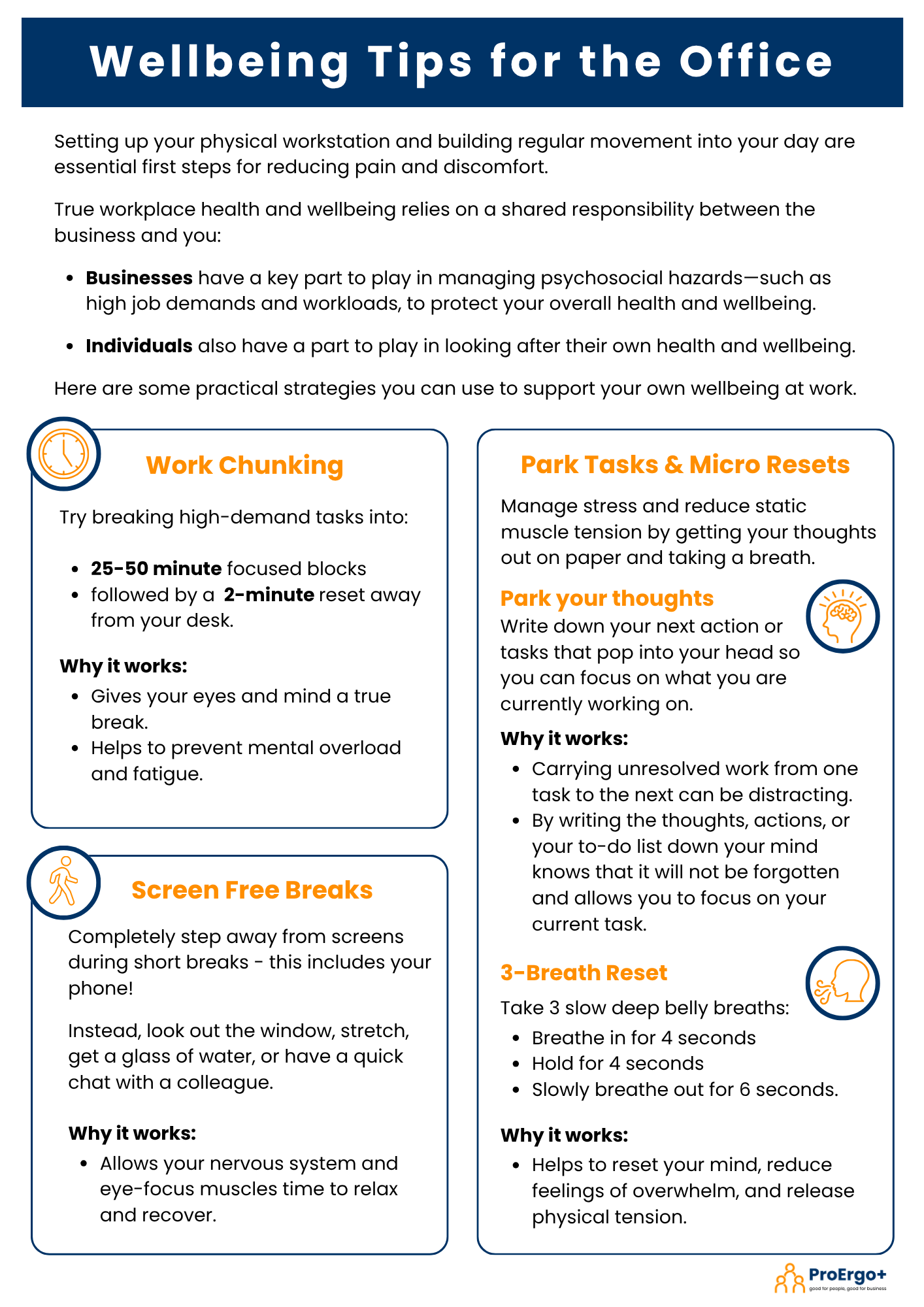
Wellbeing Tips for the Office
Setting up your physical workstation and building regular movement into your day are essential first steps for reducing pain and discomfort.
While your employer has a key part to play in managing psychosocial hazards such as high workloads and job demands, you are also responsible for looking after your own health and wellbeing.
Click on the image opposite to download some practical strategies you can use to support your own wellbeing at work.
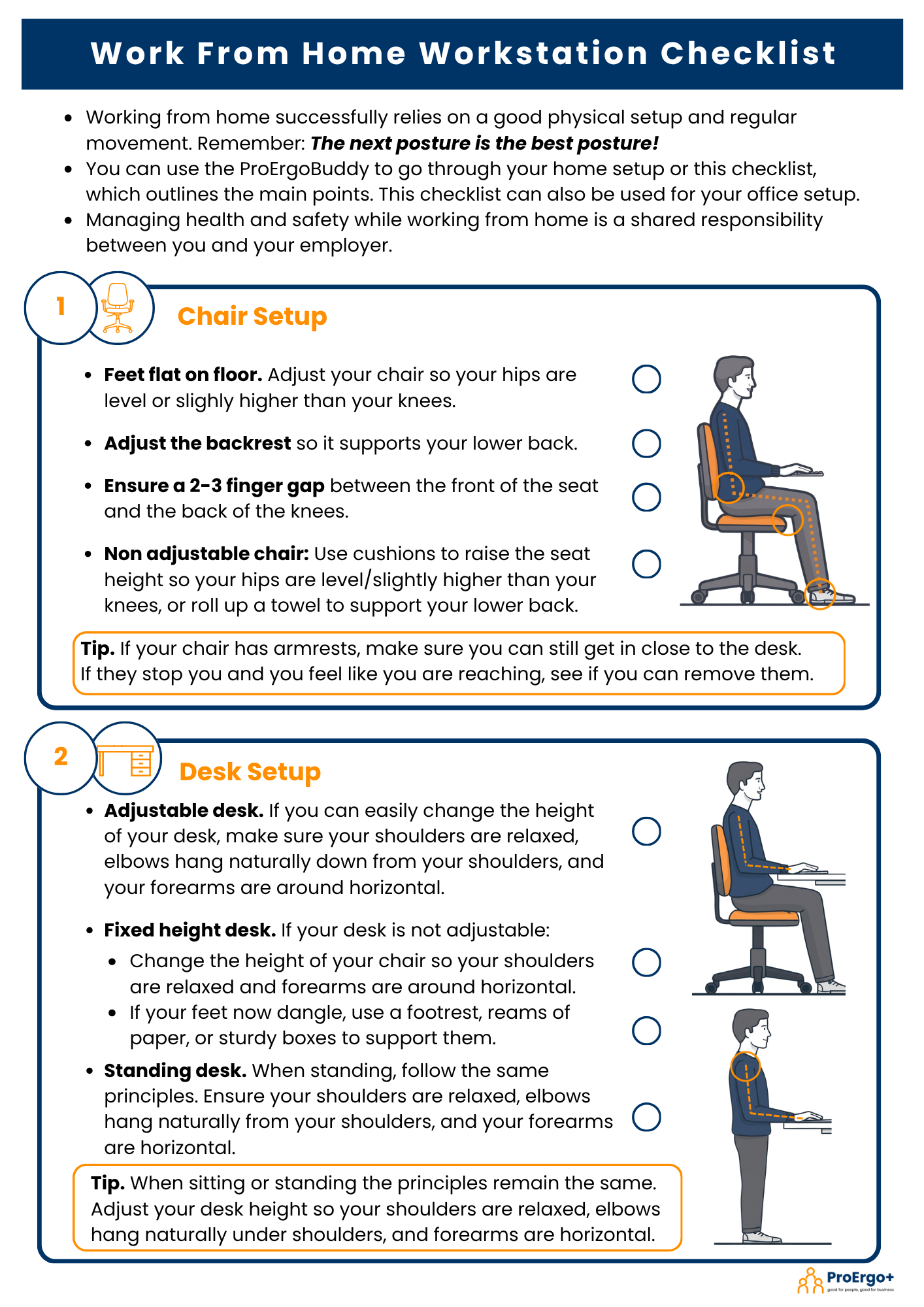
Work From Home Workstation Checklist
Working from home successfully relies on a good physical setup and regular movement.
You can go through the ProErgoBuddy again for your home setup or use the checklist opposite. You can also download it to act as a reminder to check your office setup.
Click on the image opposite to download the Work From Home Workstation Checklist.